
Batery on iPhone: Add the Web App in Two Minutes
There is no App Store listing for India, and you do not need one. The Batery app iPhone version is the mobile site pinned from Safari to your home screen, running full-screen with its own icon. Setup takes two minutes, and the differences from Android are listed further down.
Open Batery in Safari18+ only · Free · No Apple ID or download needed
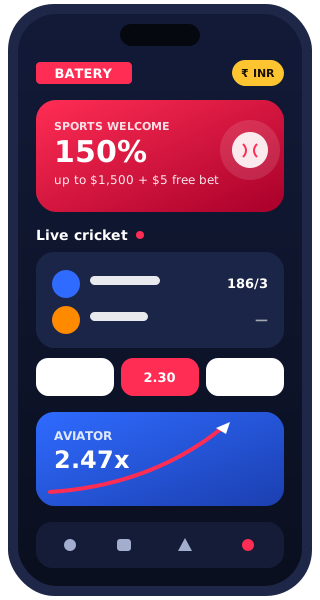
- SafariAdd to Home Screen
- 0 MBnothing to download
- Face IDvia iCloud Keychain
- Auto-updatedalways the latest version
Batery iOS: why there is no App Store app
Apple only allows real-money gambling apps in countries where the operator holds a local licence and the app is submitted by that licensed company. Batery is an offshore brand, so it has no App Store listing for India.
The workaround is a web app, sometimes called a PWA. It is the Batery mobile site, saved to your home screen with its own icon. When you open it from that icon, the address bar and tabs disappear and it runs in its own window, so in daily use it feels much like a native app.
Anything in the App Store called “Batery”, “Batery Bet” or similar and offering cricket betting is not the operator's product. Some of these are quiz or “prediction” apps that later push you to another site; skip them.
Batery operates from abroad, so read our note on India's 2025 gaming law before you sign up.
Batery app iPhone setup in five taps
Use Safari for this. Chrome and other iPhone browsers can also add home-screen shortcuts on recent iOS versions, but Safari gives the most reliable full-screen behaviour.
- Open the official site in Safari
Tap a direct Batery link. Wait for the sportsbook to load fully so the correct icon is picked up.
- Tap the Share button
The square with an upward arrow sits at the bottom of the screen on iPhone and at the top right on iPad.
- Choose “Add to Home Screen”
Scroll down the share sheet. If it is missing, tap Edit Actions at the bottom and add it.
- Confirm the name
Keep “Batery” or shorten it. If you see an Open as Web App switch, leave it on. Tap Add.
- Launch from the icon
Open it from the home screen, not from the browser, then log in or create an account.
Drag the icon into your dock or a folder like any other app. Deleting it later removes only the shortcut; your account is untouched.
What is the same and what differs from Android
Your account, balance and bets are shared everywhere, so the main differences come from how iOS treats web apps.
| Feature | iPhone web app | Android APK |
|---|---|---|
| Install | Safari → Share → Add to Home Screen | Download file, allow unknown apps |
| Updates | Automatic, loads the current site every time | Prompt inside the app, install new APK |
| Sports, live betting, cash out | Same | Same |
| Casino, Aviator, live dealers | Same | Same |
| UPI deposits | Hands off to PhonePe, GPay, Paytm, BHIM and back | Same hand-off |
| Push notifications | Limited, depends on iOS version and site support | Supported |
| Biometric login | Face ID / Touch ID through iCloud Keychain autofill | Fingerprint via Google Password Manager |
| Works when site address is blocked | No, it is the website | May keep working, as it does not rely on a browser address |
| Storage used | Only cache | Installed app plus cache |
The last row matters most in India. If your internet provider blocks the current Batery address, the Batery app iPhone shortcut will stop loading too. In that case open a fresh official link in the browser and add the icon again from the working address.
Notifications on iPhone
Since iOS 16.4, Apple lets home-screen web apps send push notifications, but only if the site supports it and only after you allow it from inside the web app. Whether Batery sends web push at any given time is up to the operator, so don't count on bet-settlement alerts the way Android users get them.
- 1Check the prompt
If the web app asks to send notifications, tap Allow. Ordinary browser tabs can't ask; only the home-screen version can.
- 2Manage in Settings
Allowed alerts appear under Settings → Notifications, listed with the web app's name.
- 3Use Focus wisely
A Focus mode can silence the web app. Add it to allowed apps if you want match-start alerts.
Without push, the simplest habit is to check “My bets” after a match. Settled bets and cash-out offers always show there.
Face ID and saved passwords
The web app does not have its own Face ID setting. Instead, iOS fills your login from iCloud Keychain (or the Passwords app on newer iOS) and confirms with Face ID or Touch ID.
- Log in once with your password
When iOS offers to save it, tap Save Password.
- Next time, tap the login field
The keyboard bar shows the saved Batery entry. Tap it and look at the phone.
- Use a strong, unique password
Let iOS suggest one at registration. It is stored for you, so length costs nothing.
Keychain fills only your Batery password. UPI PINs are never saved there and never typed into Batery. You enter them only inside your UPI app.
When clearing Safari data causes trouble
The web app keeps its login session in website data. Several everyday actions can wipe it:
- Settings → Safari → Clear History and Website Data logs you out of the web app.
- iPhone Storage → Safari → Website Data cleanup can remove the cached interface, making the first launch slow.
- Long periods without opening it may let iOS purge stored data for unused web apps.
None of this touches your balance. Log in again and everything is back. If logging in loops back to the login screen, check that Settings → Safari → Block All Cookies is switched off, because the session needs cookies to stick.
Troubleshooting
| Problem | Try this |
|---|---|
| “Add to Home Screen” not in share sheet | Make sure you are in Safari, not an in-app browser from Instagram or WhatsApp; use Edit Actions to add it. |
| Icon opens Safari with an address bar | Delete the icon and add it again from the fully loaded home page. |
| White screen on launch | Switch between Wi-Fi and mobile data; if the address is blocked, re-add from a fresh official link. |
| UPI app does not return to Batery | Switch back manually from the app switcher; the deposit status updates when you return. |
| Cannot upload KYC photo | Allow camera access under Settings → Safari → Camera, or choose a photo from the library. |
| Logged out every day | Turn off Private Browsing before adding the icon and keep cookies enabled. |
Payment hand-offs are explained in more detail on the UPI payments page. For welcome offers available on iPhone, see the bonus guide; Android owners should use the APK guide instead.
Add Batery to your iPhoneSafari web app · same bonuses as Android
Open in SafariiPhone and iPad FAQ
Is the Batery app iPhone version as good as a real app?
For betting and casino, yes. It runs the same mobile interface full-screen. The gaps are push notifications and the lack of a workaround when the site address is blocked.
Can I install the Android APK on my iPhone?
No. APK files only run on Android. iPhones and iPads use the Safari web app.
Will it work on an iPad?
Yes. The Share button is at the top right on iPad; the rest of the steps are identical.
Why did the web app log me out?
Usually because Safari website data was cleared or cookies are blocked. Log in again; your balance and bets are unchanged.